
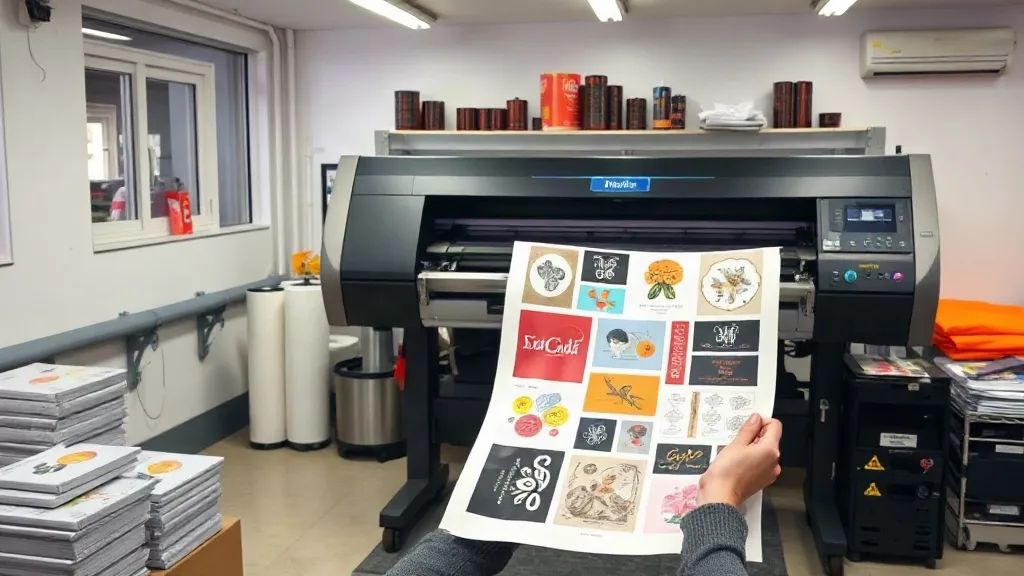
Every DTF printer knows the sting of a wasted sheet. Film, ink, and powder add up fast, and when a gangsheet goes wrong, your profit margin takes the hit. But what if you could cut costs without cutting corners? In this guide, we'll explore practical, field-tested ways to reduce waste and save money on every DTF Gangsheet you produce, all while keeping quality high and customers happy.
Why Cost Control Matters in DTF Printing
DTF printing is a competitive business. With rising material costs and tight turnaround times, every penny counts. A single misprint can eat into your profits, and over time, those losses add up. The key is to adopt a mindset of continuous improvement, where you constantly look for ways to streamline your process and eliminate waste.
Film: The Biggest Cost Driver
Film is often the largest expense in DTF printing. Choosing the right film and using it efficiently can lead to significant savings.
Select the Right Film for Your Needs
Not all films are created equal. Cold-peel films are generally cheaper, but they may not suit all applications. Hot-peel films cost more but can be more forgiving during transfer. Test different brands and types to find the best balance between cost and performance for your specific workflow.
Maximize Film Usage with Smart Nesting
Nesting is the art of arranging designs on a sheet to minimize wasted space. Use nesting software or manually rotate and align designs to fill gaps. Even small improvements in nesting can add up to big savings over hundreds of sheets.
Reuse Film When Possible
While DTF film is typically single-use, some printers successfully reuse film for low-detail or test prints. However, be cautious: reused film can cause adhesion issues. Always test before committing to a production run.
Ink: Print Smarter, Not Harder
Ink costs are second only to film. By optimizing your print settings, you can reduce ink consumption without sacrificing quality.
Adjust White Ink Layering
White ink is expensive and often overused. Experiment with lower white ink densities or thinner layers. Modern DTF printers allow fine control over white ink output. A slightly thinner white layer can still provide adequate opacity, especially on light-colored garments.
Use Color Management Profiles
Proper color management ensures that you're not over-inking to achieve the desired colors. Create custom ICC profiles for your printer, ink, and film combination. This not only saves ink but also improves color accuracy.
Regular Maintenance
Clogged nozzles and dirty printheads waste ink. Establish a daily maintenance routine: clean the printhead, check for nozzle clogs, and perform test prints. A well-maintained printer uses less ink and produces fewer misprints.
Powder: Shake, Save, Reuse
Adhesive powder is another consumable that can be optimized. Here's how to get more out of every jar.
Apply Powder Sparingly
More powder doesn't mean better adhesion. In fact, excess powder can cause a rough texture and waste money. Use a powder shaker with a fine mesh to apply a thin, even layer. Tap off excess powder before curing.
Reclaim and Reuse Powder
After shaking off excess powder, collect it on a clean tray and reuse it for non-critical prints. While reclaimed powder may have slightly reduced flowability, it's perfectly fine for many applications.
Store Powder Properly
Moisture and contamination ruin powder. Keep it in an airtight container, away from humidity and dust. Proper storage extends shelf life and prevents waste.
Design and File Preparation: The Hidden Savings
Poorly prepared files lead to misprints, which are costly. Invest time in file prep to avoid rework.
Check Resolution and Color Mode
Ensure all images are high resolution (300 DPI at final size) and in the correct color mode (CMYK for printing). Low-res or RGB images can cause blurry or off-color prints, wasting materials.
Add Bleed and Safe Margins
Designs without bleed may require trimming, which adds labor and waste. Include a small bleed (2-3mm) and keep important elements within safe margins to avoid cutting into the design.
Group Similar Jobs
Combine multiple small designs into one gangsheet to maximize film usage. This also reduces setup time and ink waste from printer cleaning cycles.
Equipment and Workflow Optimization
Your printer and workflow play a big role in cost efficiency. Consider these tips:
Invest in a Reliable Printer
A printer with consistent output and low maintenance requirements will save you money in the long run. Research models with good reviews and support.
Automate Where Possible
Software that automates nesting, color management, and job routing can reduce human error and material waste.
Train Your Team
Even the best equipment can't compensate for untrained operators. Ensure everyone follows standard operating procedures for file prep, printing, and finishing.
Quality Control: Catch Issues Early
Implement a quality check at each stage: after file prep, after printing, and after powder application. Catching a mistake early prevents wasted materials and time.
Frequently Asked Questions
How can I reduce film waste on my DTF gangsheet?
Use nesting software to arrange designs efficiently, combine small jobs, and consider using film offcuts for test prints. Also, ensure your printer is calibrated to avoid misalignment.
Is it safe to reuse DTF powder?
Yes, you can reclaim excess powder that hasn't been contaminated. Sift it to remove clumps and store it properly. However, for critical prints, use fresh powder to ensure optimal adhesion.
What's the best way to save on ink costs?
Optimize white ink layering, use custom ICC profiles, and maintain your printer regularly. Also, avoid printing unnecessary test images and use draft mode for non-critical proofs.
How often should I maintain my DTF printer to prevent waste?
Daily maintenance is ideal: clean the printhead, check for clogs, and run a test print. Weekly, perform a more thorough cleaning and check ink levels and waste ink pads.
Can I use cheaper film without sacrificing quality?
It depends on your application. Cheaper films may work for simple designs but could cause issues with complex or detailed prints. Test different films to find a balance between cost and quality for your business.